Do I need to be technical to use Scoped?+
No. If you can drag a card across a board, you can run Scoped. Connecting an AI assistant is optional, and the setup is guided when you decide you want one.
Does Scoped keep track of my customers?+
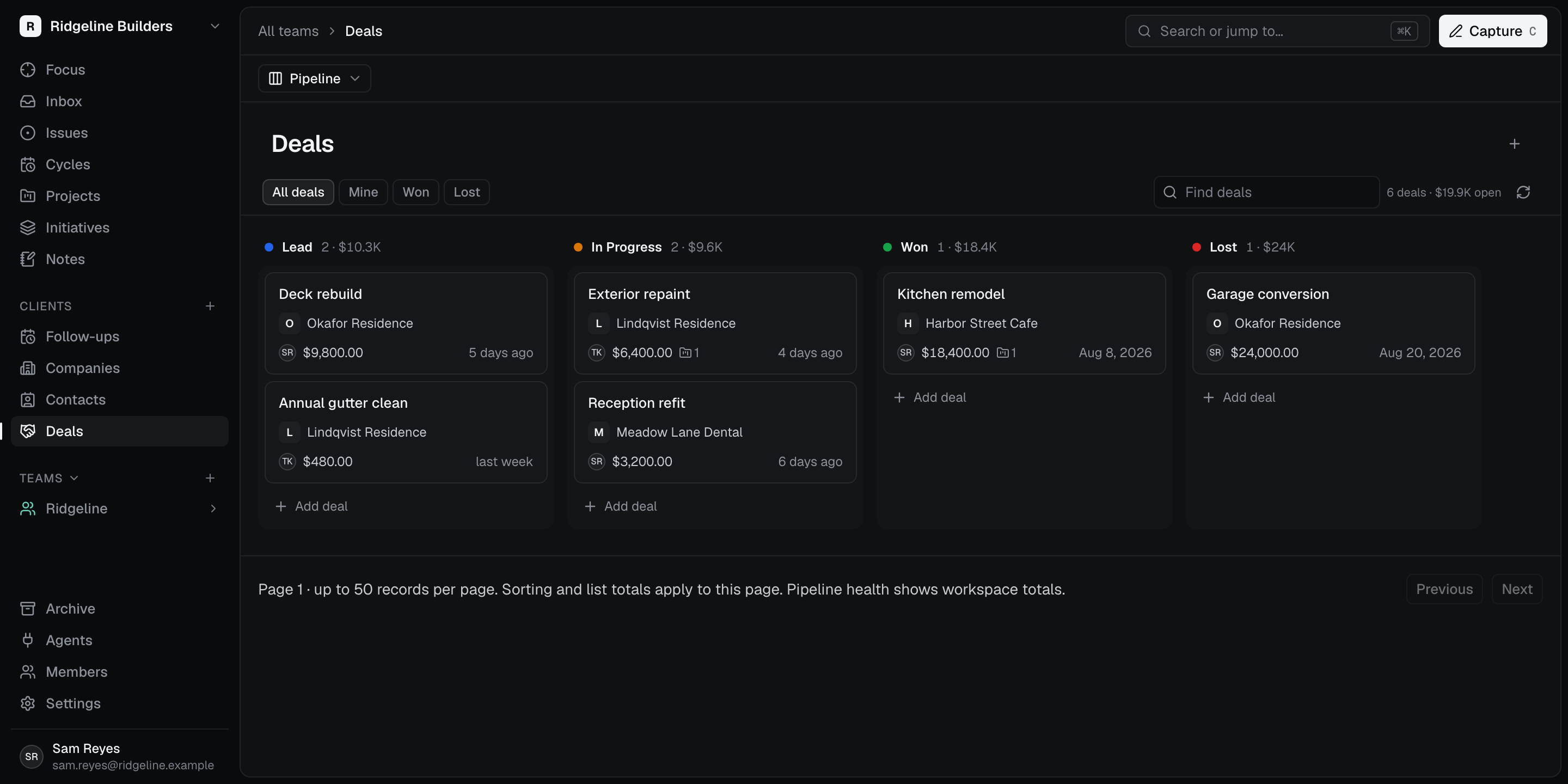
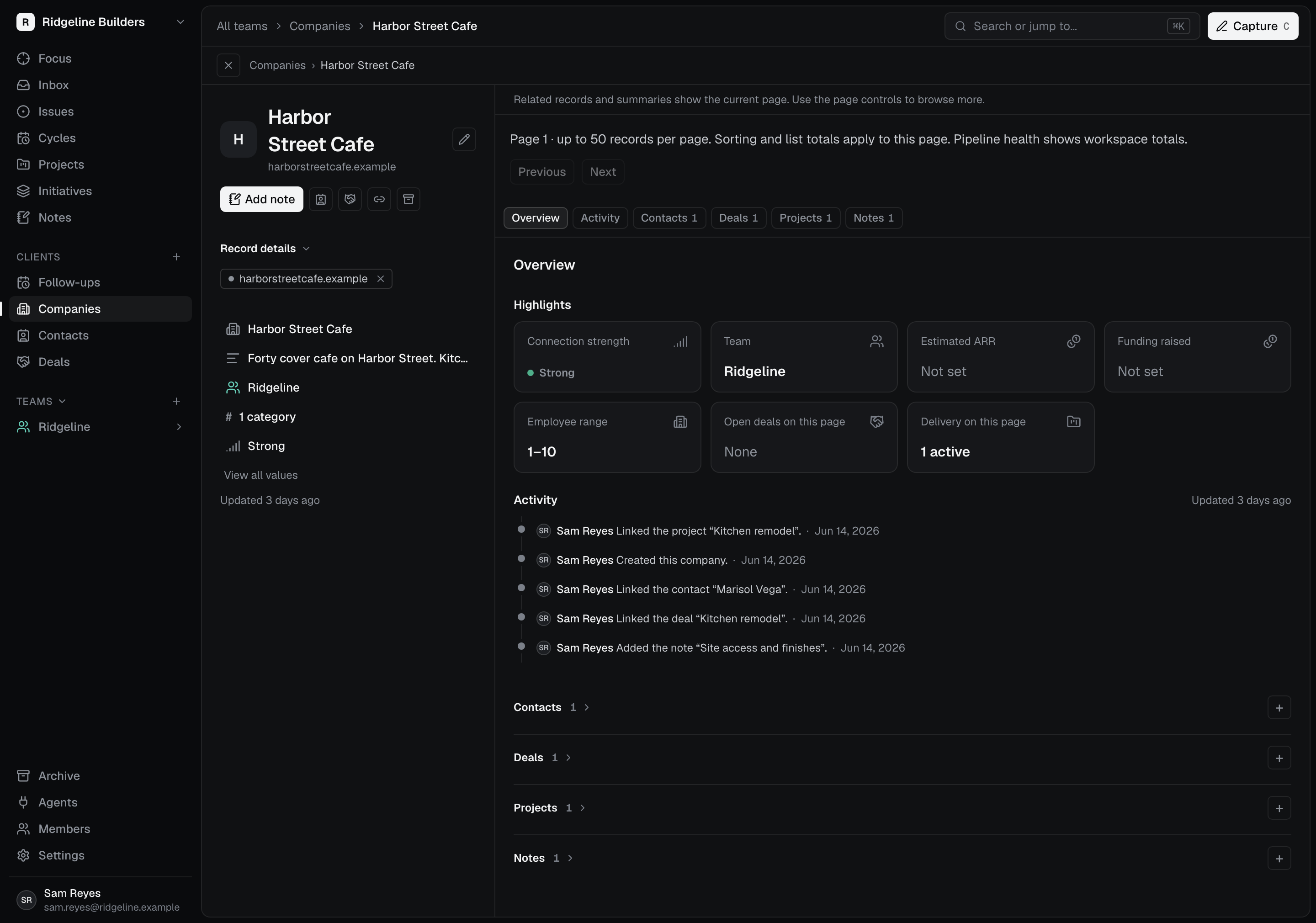
Yes. The Clients area is live now, with companies, contacts, deals, and notes in the same workspace as your jobs. Leads move across a drag-and-drop pipeline with stages you can rename; the defaults are Lead, In Progress, Won, and Lost. Each company page keeps the relationship history and a dated activity feed.
What happens when I win a job?+
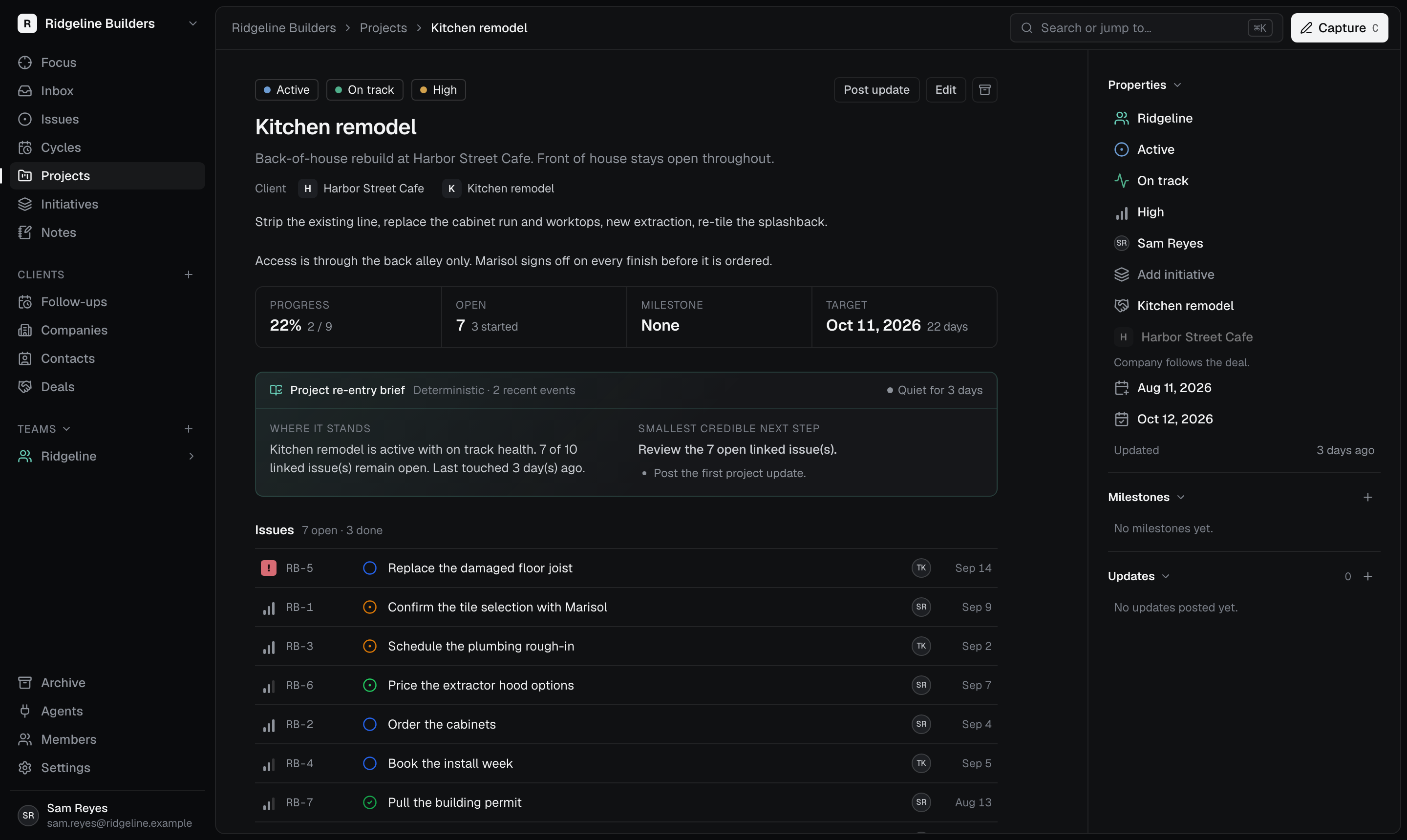
Moving a deal to Won offers to start a project with the customer’s details already filled in. You choose whether to create it, and the project stays linked to the company and the deal. If you move that deal to another company later, its linked projects follow.
Will Scoped fit the kind of work I do?+
Scoped organizes customers, quotes, jobs, owners, and due dates. Trades such as painting, contracting, and electrical work fit that structure, and so do boutique retail shops and photographers. If you sell the work and then deliver it, Scoped is built for you.
What can an AI assistant actually do in my workspace?+
An assistant you connect can read your clients, your pipeline, and the jobs in flight, then post updates and comments back. It starts from the record your team already keeps, so nothing has to be described from scratch.
Does Scoped run my agents?+
Scoped does not run your agents. Your assistant runs in its own tool. Scoped supplies the context and accepts the changes you authorized, through MCP. Every connection gets workspace-specific access that you grant, inspect, and can revoke.
Which AI tools have step-by-step Scoped setup instructions?+
Scoped currently maintains named setup paths for Codex and Claude Code. Other tools may support the same MCP and OAuth standards, but Scoped does not list them as supported integrations without a maintained setup path.
Who is credited when an assistant updates a job?+
A change that arrives over MCP records the authorizing person and connection source. That shows whose permissions were used and how the update reached your workspace; it does not imply that person typed it by hand.
How does Aether fit in?+
Scoped holds your clients, deals, and jobs. Aether is Quintessence Group’s separate memory product. An optional Aether integration is planned; it is not available in Scoped today. You can use Scoped and connect an outside assistant without it.
Where is my business data kept?+
Scoped Cloud keeps it in a managed PostgreSQL database. Desktop storage stays under your control; check the download page for current platform availability and storage options. When you connect an outside assistant, the information it retrieves may also be processed by that assistant’s model provider.
Can I take my records with me?+
Yes. Export your Scoped records with documented boundaries, and verify a restore before you rely on a backup. Finished clients and jobs are archived rather than deleted, so the history is still there when a customer calls back.
Can I bring work over from Linear?+
Scoped can import supported fields from a Linear workspace-admin CSV and tells you what was left out. Comments, attachments, relationships, and activity that are not in the file are not reconstructed.
Can I use Scoped in the browser?+
Yes. Create a workspace, invite whoever helps you run the business, and use Scoped from any browser without operating a database. Check the download page for the separate desktop app and platform availability.

 Scoped